Monitoring systems with Wazuh. Compliant with NIS2.

Implementing monitoring using the Wazuh platform can be broken down into five key steps that allow you to fully leverage its potential as a unified XDR and SIEM solution. Below is a description of this process, including cloud hosting options:

1. Choosing an implementation model (Cloud vs. On-premises)

The first step is to decide whether the system will be hosted locally or in the cloud. Wazuh Cloud offers managed, ready-to-use, and highly scalable environments for security monitoring and endpoint protection. Choosing the cloud eliminates the need to manage server infrastructure yourself, and users can take advantage of a free trial (Free Cloud Trial) to test the platform. This solution provides protection for public clouds, private clouds, and on-premises data centers.

2. Installation and configuration of the central platform

After selecting a model, you need to install the Wazuh server. This platform is an open source solution, which ensures transparency, flexibility, and no license fees. For self-installation, you can use comprehensive documentation that offers step-by-step guides for users of all skill levels. If you choose the cloud, this step is simplified because the environment is delivered ready to use.

3. Deployment of agents on endpoints
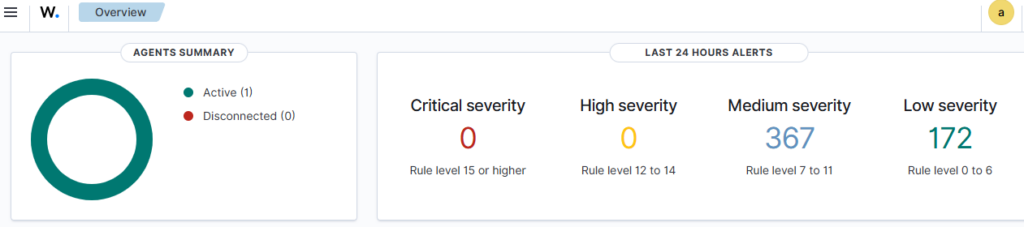
Wazuh uses a single-agent architecture that unifies historically separate functions. Agents must be installed on monitored devices (endpoints) and cloud workloads. These agents are highly flexible and allow you to collect logs and create the necessary alerts.

4. Configuration of protection and detection modules

After connecting the agents to the platform, specific security functions must be configured, such as:

  • Endpoint security: File integrity monitoring (FIM), malware detection, and configuration assessment.
  • Threat analysis: Vulnerability detection and log data analysis.
  • Cloud security: Posture management and container protection.

5. Launch security operations and active response
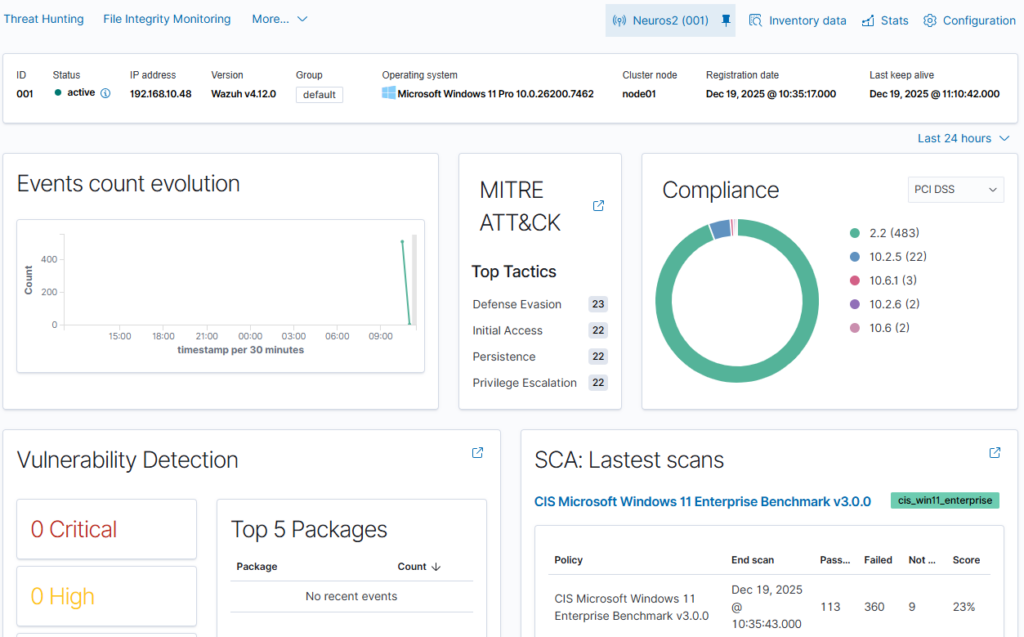
The final step is to configure real-time monitoring and incident response. As a SIEM solution, Wazuh provides monitoring, detection, and notification of security events. With XDR capabilities, the platform provides analysts with real-time data correlation and active responses, which include automatic remediation actions on devices to keep them running smoothly. Integration with external tools such as VirusTotal and PagerDuty is also possible, further enhancing response capabilities.

An analogy for better understanding: Implementing the Wazuh solution can be compared to building a modern building security system. Choosing the cloud (Wazuh Cloud) is like hiring a professional company that provides a ready-made monitoring center, while agents are like smart sensors installed in each room. When a sensor detects smoke or unauthorized entry, the system not only triggers an alarm (SIEM), but can also automatically shut off the gas supply or lock the doors (XDR) to minimize damage.


Monitoring systems with Wazuh. Compliant with NIS2. Read More »
Log collection and monitoring using Grafana Cloud and Grafana Alloy. Logs compliant with NIS2.

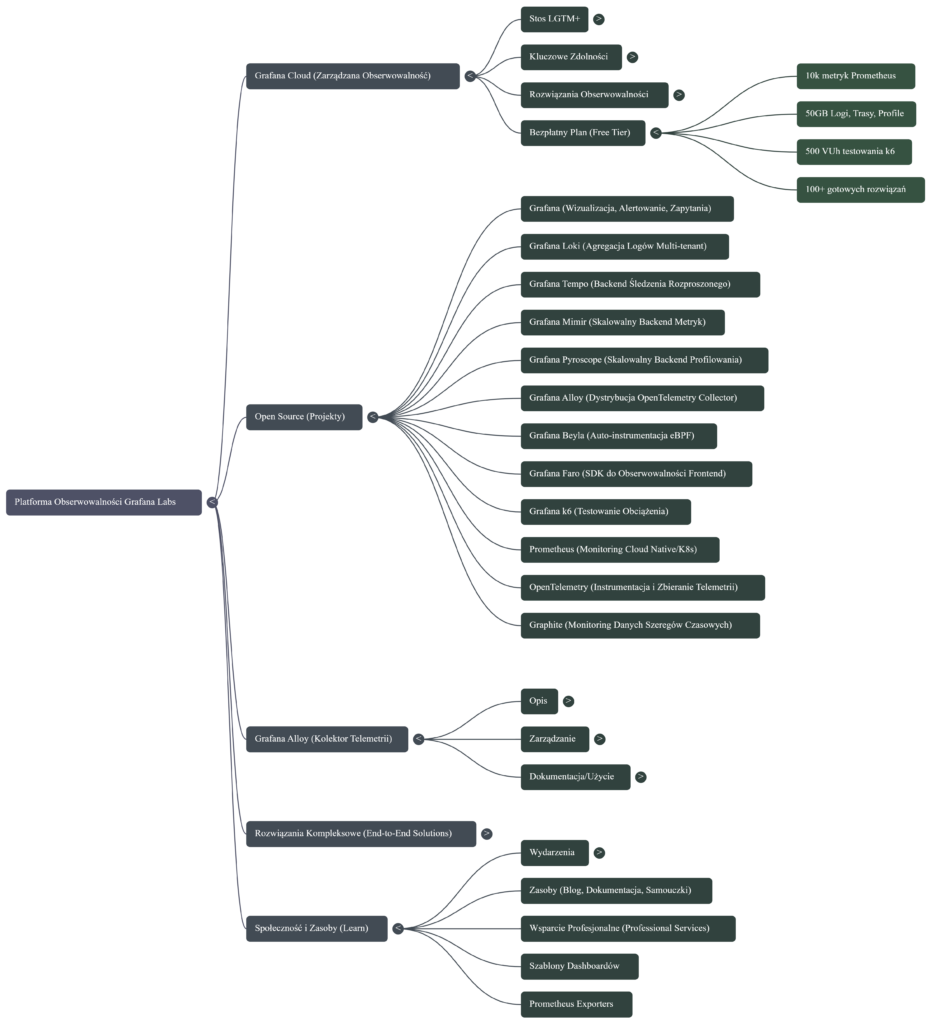
The key steps for collecting logs and monitoring systems using Grafana Cloud and Grafana Alloy focus on the comprehensive telemetry lifecycle: from collection, through processing and storage, to visualization and response.
Here are the most important steps based on the functionalities of these tools:

1. Collecting telemetry data with Grafana Alloy
Grafana Alloy serves as a distribution of OpenTelemetry Collector that combines the strengths of leading collectors, enabling the collection, processing, and export of telemetry signals for scaling observability
• Alloy implementation: Install and configure Grafana Alloy on your target platforms (such as Linux, Windows, Docker, Kubernetes).
• Collect all signals: Use Alloy to collect all types of telemetry data—including logs, metrics, traces, and profiles (profiling).
• Pipeline configuration: Leverage native pipelines for leading telemetry signals such as Prometheus and OpenTelemetry. Alloy allows you to configure Kubernetes log collection, log file monitoring, and OpenTelemetry data collection.
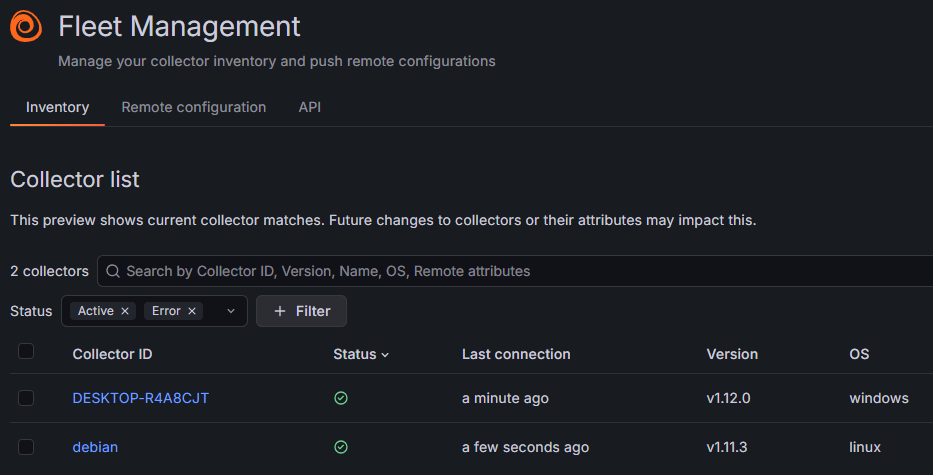
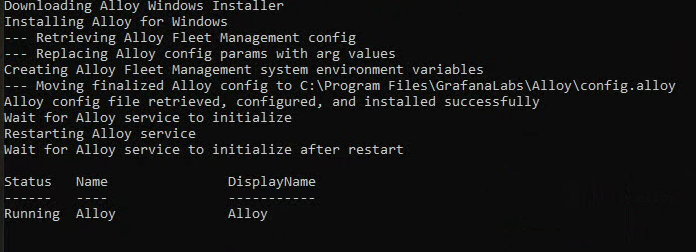
Installing Alloy on Windows systems:

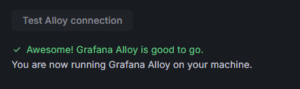
Verifying that Alloy is installed correctly:

2. Data transfer and storage in Grafana Cloud (LGTM+ Stack)
Once collected, data must be transferred to the appropriate cloud backends, which manage its scalable storage and retrieval. Grafana Cloud provides the LGTM+ Stack, which includes specialized systems for handling each type of data.
• Logs: Send logs to Grafana Loki, which is a multi-tenant log aggregation system. Alloy has dedicated components (e.g., loki.write) and tutorials for sending logs to Loki.
• Metrics: Send metrics to Grafana Mimir (a scalable and efficient metrics backend) and Prometheus. Alloy can send metrics to Prometheus.
• Traces: Store traces in Grafana Tempo (a backend for large-scale distributed tracing).

3. Data visualization and correlation (Grafana)
Grafana is used to query, visualize, and alert on data, regardless of where it is stored.
• Connecting data sources: Instantly connect all your data sources to Grafana, including infrastructure monitoring (e.g., Linux, Windows, AWS, Google Cloud) and application monitoring (e.g., MongoDB, Splunk).
• Creating dashboards: Create, explore, and share dashboards to gain insight into metrics. Take advantage of end-to-end solutions and dashboard templates.

4. Setting up advanced monitoring and alerting
Monitoring requires defining performance indicators and establishing mechanisms for reporting issues.
• Alerting: Configure alerts in Grafana that can be triggered from any data source.
• SLO management: Easily create, manage, and scale Service Level Objectives (SLOs) and error budget alerts in Grafana Cloud.
• Root cause analysis: Apply Contextual Root Cause Analysis, which automatically correlates related issues to uncover causes faster.
• AI/ML-powered insights: Leverage AI/ML capabilities in Grafana Cloud to identify anomalies and reduce labor intensity.

5. Incident response management (IRM)
The final key step is to respond quickly to issues detected during monitoring.
• Incident response: Detect and respond to incidents with a simplified workflow offered by Incident Response Management (IRM).
• On-call management: Leverage flexible on-call management, reducing labor intensity with simpler interfaces.

Log collection and monitoring using Grafana Cloud and Grafana Alloy. Logs compliant with NIS2. Read More »

How to implement Zabbix to monitor Dell servers, Sonicwall and Unifi solutions, and reduce maintenance costs. Compliant with NIS2.

Infrastructure monitoring is one of the basic elements used to predict failures.

Various tools can be implemented for monitoring, from Nagios to Zabbix.

In this case, we want to focus on implementing Zabbix.

  1. Server selection and installation

Zabbix can be installed in several ways, including from packages, on an on-premises environment, for example for Red Hat Enterprise Linux or Debian/Ubuntu systems, and using containers. Alternatively, the Zabbix server can be deployed in a cloud environment (Azure, GC, Amazon, or other environment). The installation process also includes the installation of the web interface.

Zabbix

2. Agent installation

After installing the server, it is necessary to deploy monitoring agents on the hosts to be monitored. Zabbix supports various types of agents, including Zabbix Agent and Zabbix Agent 2. Installation instructions are available for Windows using the MSI package and for macOS using PKG. Zabbix agents can be configured using user parameters to extend their functionality

3. Initial configuration of hosts and monitoring items

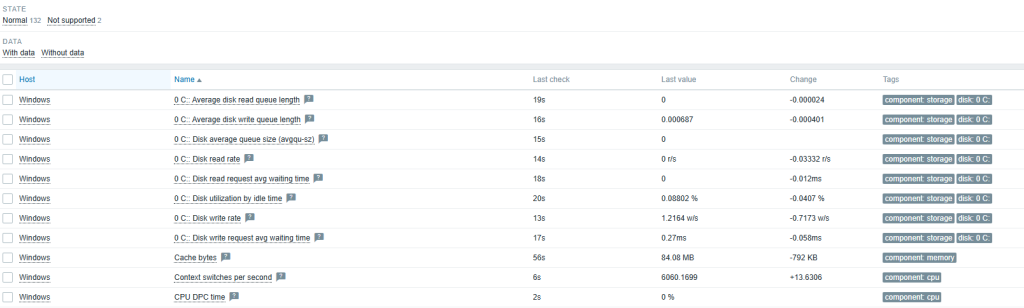
After installing Zabbix and agents, the next step is to add monitored units. As part of the configuration, use the Host Wizard, configure host groups, and add a new host to the system. As part of the host configuration, define items that specify what data is to be collected, for example, via a Zabbix agent, SNMP agent, or HTTP agent. The configuration also includes creating triggers (triggers)

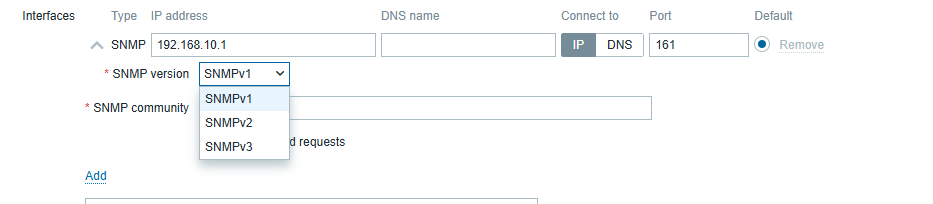
4. Monitoring configuration via SNMP

Monitoring via an SNMP agent is one of many types of items supported by Zabbix. SNMP monitoring configuration allows the use of special OIDs, MIB files, and dynamic indexes. Zabbix is also capable of handling SNMP traps. In addition, low-level discovery can be used to automatically detect SNMP OIDs. Quick reference guides include monitoring a network switch or router with Zabbix

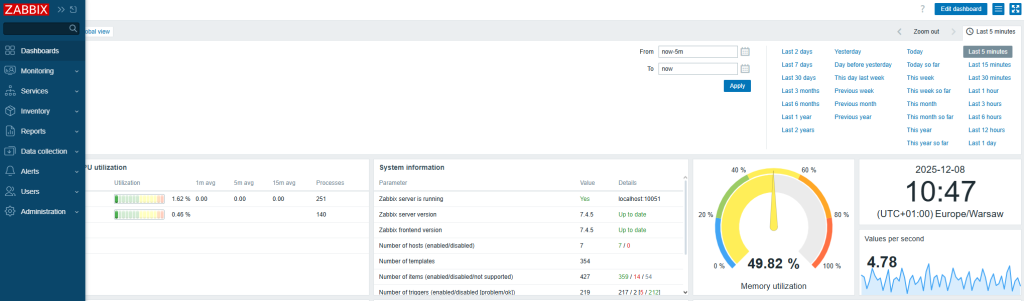
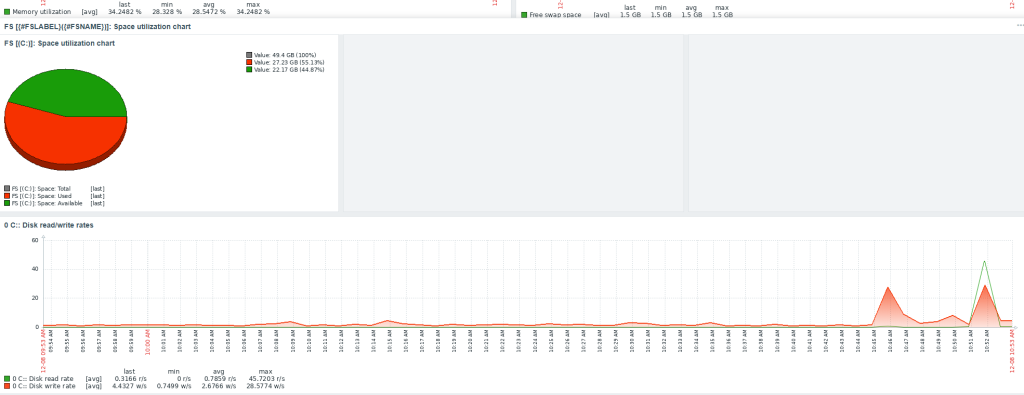
5. Dashboard configuration

Dashboards are a key element of the visualization section in the Zabbix web interface. They allow you to view key information and system statuses. Dashboards are built using various widgets. Examples of widgets that can be configured include: Graph (classic), Problems, Problems by severity, System information, Top hosts, and URL. They can be managed using the API, including creation (dashboard.create), deletion (dashboard.delete), and updating (dashboard.update).


Feel free to contact us.

How to implement Zabbix to monitor Dell servers, Sonicwall and Unifi solutions, and reduce maintenance costs. Compliant with NIS2. Read More »

NIS2 -SOC – CSIRT

Key steps in effective IT security management

In a world of constant cyber threats, it is crucial not only to respond quickly, but also to continuously monitor and analyze what is happening in your infrastructure. Here are the three pillars of effective protection:

1. Infrastructure and system monitoring
We implement modern solutions for log collection and analysis as well as device monitoring. This gives you full visibility over your infrastructure — 24/7.

2. Incident response
In the event of a security incident, we provide immediate action and full incident handling. The initial response is 24/7, and you can receive a detailed report within 72 hours to up to a month, depending on the complexity of the case.

3. Risk analysis
We help you assess vulnerabilities, identify potential threats, and plan risk mitigation measures.

CSIRT — Your digital emergency response team
CSIRT (Computer Security Incident Response Team) is a specialized team that responds to computer security incidents and ensures that your IT environment is protected at every stage.

Translated with DeepL.com (free version)

NIS2 -SOC – CSIRT Read More »

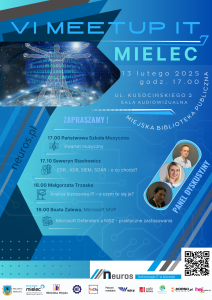
Conference Biellik SUMMIT

To further our skills, we attended the Biellik Summit conference.

Excellent speakers demonstrated the use of the model through examples.

The democratization of service access demonstrates that it doesn’t take massive investments to run the model in the Azure, GC, AWS, or Proxmox cloud. It’s important to learn new solutions

Conference Biellik SUMMIT Read More »

Futuristic IT Innovation

Neuros: Dostarczanie inteligentnych rozwiązań IT poprzez najlepsze zarządzanie infrastrukturą IT

W dzisiejszym, dynamicznie rozwijającym się świecie technologii, firmy wymagają inteligentniejszego, wydajniejszego i proaktywnego modelu infrastruktury IT. Neuros specjalizuje się w Najlepsze zarządzanie infrastrukturą IT – poprzez płynne połączenie wiedzy technicznej, automatyzacji i strategii zorientowanych na klienta.
Nasz cel jest prosty: umożliwić firmom działanie z mniejszą liczbą zakłóceń, zwiększonym bezpieczeństwem i systemami IT, które rozwijają się wraz z ich potrzebami.

Doskonałe i efektywne zarządzanie IT dla wyższej efektywności biznesowej

Neuros oferuje proaktywne podejście do zarządzania infrastrukturą, które priorytetowo traktuje zapobieganie, a nie reagowanie.
Nasza strategia koncentruje się na:

  • dostrajaniu wydajności,
  • inteligentnym monitorowaniu,
  • analizie predykcyjnej,

aby systemy były zoptymalizowane i gotowe na przyszłość. Dzięki najlepszemu zarządzaniu infrastrukturą IT pomagamy Twojej firmie wyprzedzać konkurencję – minimalizując przestoje i maksymalizując wydajność poprzez regularne przeglądy i zaawansowane narzędzia do monitorowania.

Nasze kompleksowe usługi zarządzania infrastrukturą IT

W Neuros oferujemy kompletne rozwiązanie w zakresie zarządzania infrastrukturą IT, obejmujące:

  • Monitoring 24/7 i zarządzanie incydentami dla zapewnienia ciągłej dostępności,
  • Optymalizację infrastruktury chmurowej (AWS, Azure, chmury prywatne),
  • Zarządzanie siecią w celu zapewnienia płynnej łączności i uniknięcia wąskich gardeł,
  • Optymalizację wydajności serwerów i inteligentne skalowanie zasobów,
  • Planowanie cyklu życia sprzętu – usprawniające aktualizacje i redukujące nieefektywność.

Wykorzystujemy również scentralizowane systemy kontroli i ramy automatyzacji, które pozwalają oszczędzać czas, obniżać koszty i utrzymywać ciągłość operacyjną, nawet w przypadku nieoczekiwanych zdarzeń.

Dlaczego Neuros wyróżnia się w zarządzaniu infrastrukturą IT

Nasi klienci ufają nam nie tylko dzięki naszej sile technicznej, ale także ze względu na:

  • przejrzystość,
  • niezawodność,
  • spójność biznesową.

Neuros to nie tylko dostawca usług — jesteśmy Twoim strategicznym partnerem IT. Nasze kluczowe wyróżniki to:

  • Rozwiązania szyte na miarę,
  • Skalowalna infrastruktura dostosowująca się do rozwoju,
  • Automatyzacja redukująca pracę ręczną,
  • Bezpieczeństwo w każdej warstwie infrastruktury,
  • Dedykowane zespoły wsparcia z szybką reakcją.

Z Neuros zarządzanie infrastrukturą staje się strategiczną przewagą, a nie tylko obowiązkiem technicznym.

Branże, w których działamy

Nasze usługi infrastruktury IT są dostosowane do wielu sektorów:

  • Opieka zdrowotna i biotechnologia
  • Fintech i usługi finansowe
  • E-commerce i handel detaliczny
  • Produkcja i logistyka
  • Edukacja i nauka online

Dzięki doświadczeniu międzybranżowemu tworzymy elastyczne, odporne i zgodne z regulacjami systemy, dopasowane do specyficznych wymagań każdej branży.

Przyszłościowa przyszłość Twojej firmy zaczyna się tutaj

Dobrze zarządzana infrastruktura IT nie tylko wspiera codzienne działania, ale również otwiera drogę do innowacji. Neuros oferuje:

  • Inteligentne projektowanie,
  • Ciągłą optymalizację,
  • Opłacalne modernizacje.

Pracujmy razem, aby zbudować zwinną, bezpieczną i gotową na przyszłość infrastrukturę IT.

Najczęściej zadawane pytania 

P1. Czym w tym kontekście jest „najlepsze zarządzanie infrastrukturą IT”?

To podejście zgodne z misją Neuros – dostarczanie wysokiej jakości, proaktywnych i skalowalnych usług IT.

P2. Czy Państwa usługa zarządzania infrastrukturą jest odpowiednia dla małych firm?

Zdecydowanie tak. Nasze rozwiązania skalują się od startupów po duże przedsiębiorstwa.

P3. W jaki sposób Neuros zapewnia bezpieczeństwo infrastruktury?

 Stosujemy kompleksowe protokoły bezpieczeństwa: szyfrowanie, kontrolę dostępu, aktualizacje, ocenę podatności – na każdej warstwie.

P4. Jaki jest czas reakcji wsparcia technicznego?

Zapewniamy wsparcie 24/7. Większość problemów rozwiązujemy w ciągu godziny, zgodnie z SLA.

Neuros: Dostarczanie inteligentnych rozwiązań IT poprzez najlepsze zarządzanie infrastrukturą IT Read More »

AI – Dall-e – test

Professional Support Requires an Open Mind

In today’s rapidly changing world, openness to new ideas and technologies is crucial for success in many fields. Professional support, especially in the context of innovation, demands the ability to adapt to dynamic changes and leverage the latest tools, such as artificial intelligence.

Project Using AI and the DALL-E Algorithm

One of the most fascinating achievements in the field of artificial intelligence is the DALL-E project, created by OpenAI. This tool utilizes advanced algorithms to generate images based on textual descriptions. Unlike traditional graphic creation methods, DALL-E can transform even the most absurd ideas into visual representations, opening up entirely new creative possibilities for users.

How DALL-E Works

DALL-E 2, the latest version of this system, is capable of creating realistic images and art based on natural language descriptions. Users can input a variety of prompts, and the system generates images that combine different concepts and styles. This makes it an invaluable support tool for artists, designers, and marketers, allowing them to quickly visualize ideas and create unique visual materials.

Applications of DALL-E in Professional Support

The possibilities offered by DALL-E are vast and include:

  • Creating Illustrations: Automatically generating graphics for articles, presentations, or advertising campaigns.
  • Visualizing Concepts: Facilitating the design process by providing graphical representations of ideas.
  • Education: Creating educational materials in a more accessible and engaging manner.

By embracing new technologies, professionals can significantly enhance their efficiency and creativity. As artificial intelligence continues to evolve, tools like DALL-E will play an increasingly important role across various industries, enabling innovative approaches to work and creativity.

AI – Dall-e – test Read More »

Sonicwall UTM – router

Key Features of SonicWall TZ270

  • Performance: The SonicWall TZ270 offers up to 750 Mbps UTM throughput, ensuring that your network can handle the demands of modern applications without compromising security.
  • Integrated Security: It combines multiple security features, including firewalling, anti-virus, intrusion detection, and prevention, all on a single platform. This integration simplifies management and enhances overall protection against various cyber threats
  • Advanced Threat Protection: With capabilities like Deep Packet Inspection (DPI) and real-time SSL/TLS decryption, the TZ270 can effectively identify and mitigate encrypted threats, ensuring that your data remains secure even in transit

Compliance with Cyber-Resilience Standards

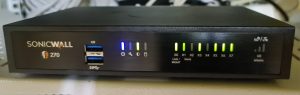
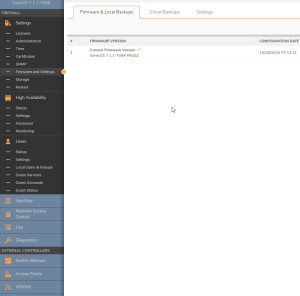
Notably, only fully updated UTM devices like the SonicWall TZ270 meet specific points of cyber-resistance as outlined in the NIS2 directive. This compliance is crucial for organizations looking to enhance their cybersecurity posture and protect sensitive information from evolving threats

NIS2 Sonicwall

Simplified Management

The SonicWall TZ270 also features Zero-Touch Deployment and centralized management through the Network Security Manager. These functionalities allow for easy onboarding and maintenance, reducing the need for extensive IT personnel involvement. This ease of use is particularly beneficial for small businesses that may lack dedicated IT resources


https://www.sonicwall.com/partner-locator

Sonicwall UTM – router Read More »

Social Media Auto Publish Powered By : XYZScripts.com
Scroll to Top