admin

How to implement Zabbix to monitor Dell servers, Sonicwall and Unifi solutions, and reduce maintenance costs. Compliant with NIS2.

Infrastructure monitoring is one of the basic elements used to predict failures.

Various tools can be implemented for monitoring, from Nagios to Zabbix.

In this case, we want to focus on implementing Zabbix.

  1. Server selection and installation

Zabbix can be installed in several ways, including from packages, on an on-premises environment, for example for Red Hat Enterprise Linux or Debian/Ubuntu systems, and using containers. Alternatively, the Zabbix server can be deployed in a cloud environment (Azure, GC, Amazon, or other environment). The installation process also includes the installation of the web interface.
Zabbix

2. Agent installation

After installing the server, it is necessary to deploy monitoring agents on the hosts to be monitored. Zabbix supports various types of agents, including Zabbix Agent and Zabbix Agent 2. Installation instructions are available for Windows using the MSI package and for macOS using PKG. Zabbix agents can be configured using user parameters to extend their functionality

3. Initial configuration of hosts and monitoring items

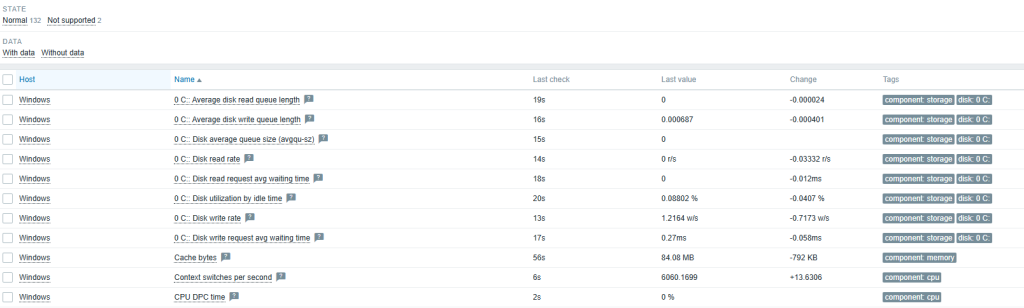
After installing Zabbix and agents, the next step is to add monitored units. As part of the configuration, use the Host Wizard, configure host groups, and add a new host to the system. As part of the host configuration, define items that specify what data is to be collected, for example, via a Zabbix agent, SNMP agent, or HTTP agent. The configuration also includes creating triggers (triggers)
4. Monitoring configuration via SNMP

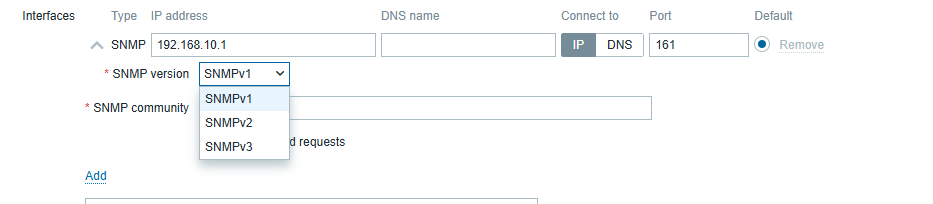
Monitoring via an SNMP agent is one of many types of items supported by Zabbix. SNMP monitoring configuration allows the use of special OIDs, MIB files, and dynamic indexes. Zabbix is also capable of handling SNMP traps. In addition, low-level discovery can be used to automatically detect SNMP OIDs. Quick reference guides include monitoring a network switch or router with Zabbix
5. Dashboard configuration

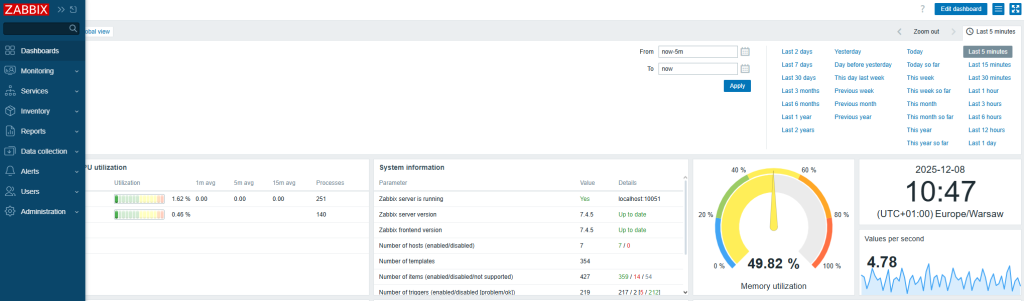
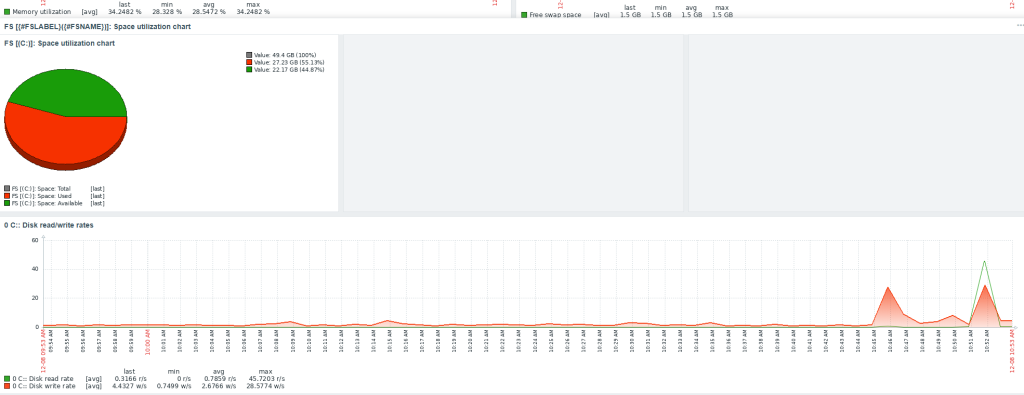
Dashboards are a key element of the visualization section in the Zabbix web interface. They allow you to view key information and system statuses. Dashboards are built using various widgets. Examples of widgets that can be configured include: Graph (classic), Problems, Problems by severity, System information, Top hosts, and URL. They can be managed using the API, including creation (dashboard.create), deletion (dashboard.delete), and updating (dashboard.update).
 

Feel free to contact us.

How to implement Zabbix to monitor Dell servers, Sonicwall and Unifi solutions, and reduce maintenance costs. Compliant with NIS2. Read More »

NIS2 -SOC – CSIRT

Key steps in effective IT security management

In a world of constant cyber threats, it is crucial not only to respond quickly, but also to continuously monitor and analyze what is happening in your infrastructure. Here are the three pillars of effective protection:

1. Infrastructure and system monitoring
We implement modern solutions for log collection and analysis as well as device monitoring. This gives you full visibility over your infrastructure — 24/7.

2. Incident response
In the event of a security incident, we provide immediate action and full incident handling. The initial response is 24/7, and you can receive a detailed report within 72 hours to up to a month, depending on the complexity of the case.

3. Risk analysis
We help you assess vulnerabilities, identify potential threats, and plan risk mitigation measures.

CSIRT — Your digital emergency response team
CSIRT (Computer Security Incident Response Team) is a specialized team that responds to computer security incidents and ensures that your IT environment is protected at every stage.

Translated with DeepL.com (free version)

NIS2 -SOC – CSIRT Read More »

Conference Biellik SUMMIT

To further our skills, we attended the Biellik Summit conference.

Excellent speakers demonstrated the use of the model through examples.

The democratization of service access demonstrates that it doesn’t take massive investments to run the model in the Azure, GC, AWS, or Proxmox cloud. It’s important to learn new solutions

Conference Biellik SUMMIT Read More »

AI – Dall-e – test

Professional Support Requires an Open Mind

In today’s rapidly changing world, openness to new ideas and technologies is crucial for success in many fields. Professional support, especially in the context of innovation, demands the ability to adapt to dynamic changes and leverage the latest tools, such as artificial intelligence.

Project Using AI and the DALL-E Algorithm

One of the most fascinating achievements in the field of artificial intelligence is the DALL-E project, created by OpenAI. This tool utilizes advanced algorithms to generate images based on textual descriptions. Unlike traditional graphic creation methods, DALL-E can transform even the most absurd ideas into visual representations, opening up entirely new creative possibilities for users.

How DALL-E Works

DALL-E 2, the latest version of this system, is capable of creating realistic images and art based on natural language descriptions. Users can input a variety of prompts, and the system generates images that combine different concepts and styles. This makes it an invaluable support tool for artists, designers, and marketers, allowing them to quickly visualize ideas and create unique visual materials.

Applications of DALL-E in Professional Support

The possibilities offered by DALL-E are vast and include:

  • Creating Illustrations: Automatically generating graphics for articles, presentations, or advertising campaigns.
  • Visualizing Concepts: Facilitating the design process by providing graphical representations of ideas.
  • Education: Creating educational materials in a more accessible and engaging manner.

By embracing new technologies, professionals can significantly enhance their efficiency and creativity. As artificial intelligence continues to evolve, tools like DALL-E will play an increasingly important role across various industries, enabling innovative approaches to work and creativity.

AI – Dall-e – test Read More »

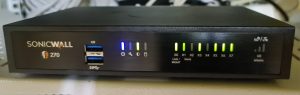
Sonicwall UTM – router

Key Features of SonicWall TZ270

  • Performance: The SonicWall TZ270 offers up to 750 Mbps UTM throughput, ensuring that your network can handle the demands of modern applications without compromising security.
  • Integrated Security: It combines multiple security features, including firewalling, anti-virus, intrusion detection, and prevention, all on a single platform. This integration simplifies management and enhances overall protection against various cyber threats
  • Advanced Threat Protection: With capabilities like Deep Packet Inspection (DPI) and real-time SSL/TLS decryption, the TZ270 can effectively identify and mitigate encrypted threats, ensuring that your data remains secure even in transit

Compliance with Cyber-Resilience Standards

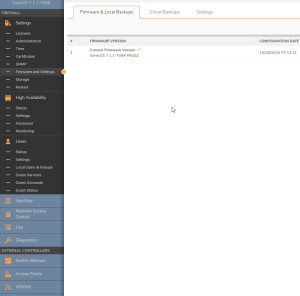
Notably, only fully updated UTM devices like the SonicWall TZ270 meet specific points of cyber-resistance as outlined in the NIS2 directive. This compliance is crucial for organizations looking to enhance their cybersecurity posture and protect sensitive information from evolving threats

NIS2 Sonicwall

Simplified Management

The SonicWall TZ270 also features Zero-Touch Deployment and centralized management through the Network Security Manager. These functionalities allow for easy onboarding and maintenance, reducing the need for extensive IT personnel involvement. This ease of use is particularly beneficial for small businesses that may lack dedicated IT resources


https://www.sonicwall.com/partner-locator

Sonicwall UTM – router Read More »

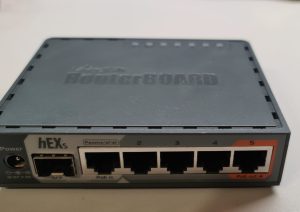
MikroTik – RouterBOARD – update


The most advantageous method of making a copy of the device configuration is to export it in text format via the terminal.

[admin@MikroTik] > export terse file=”copy_text”

Then we use the appropriate method to download the given configuration ( Winbox, email script, etc)


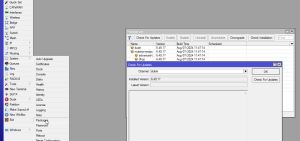
Remember to always maintain an updated version of the software , in RouterBoard this is extremely easy.

MikroTik – RouterBOARD – update Read More »

Social Media Auto Publish Powered By : XYZScripts.com
Scroll to Top